Hello Kitty Party Land Beginner Guide: Start Strong
Use this Hello Kitty Party Land beginner guide to learn board game rules, earn coins, collect stickers, choose a partner, and set up local or online play.
Get Your First Session Ready
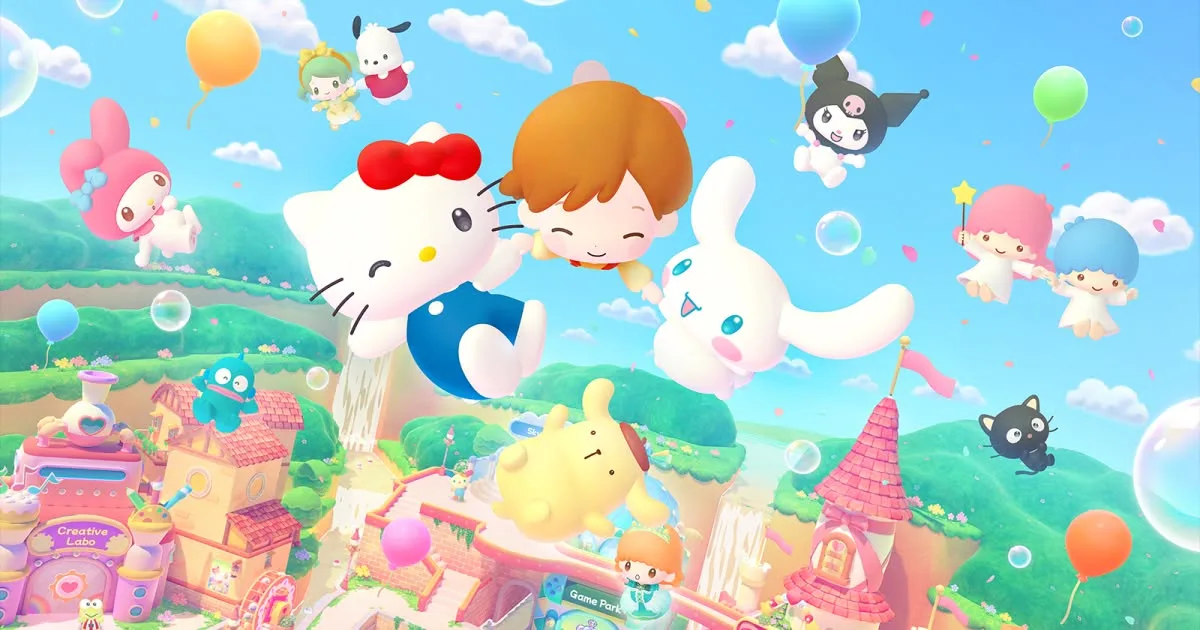
Party Land gives you plenty to do before you ever spin a roulette wheel. This Hello Kitty Party Land beginner guide helps you understand board objectives, manage turn-taking, and find rewards while exploring with your Sanrio partner. Start by setting up your group and learning the controls, then head into the activities that interest you.
1. Update the game and check your version
The October 29, 2026 launch update adds jinbei-style costumes for My Melody, Hangyodon, and Chococat. Connect your system to the internet and update the software to install them automatically.
If you're choosing between versions, pay attention before buying: the Nintendo Switch and Nintendo Switch 2 versions are separate purchases. The Switch version has no Switch 2 Edition upgrade pack, and save data cannot be shared between the two versions.
2. Choose your players, difficulty, and partner
You can play with 1–4 players on one console or 2–4 players online. Online play requires a paid Nintendo Switch Online membership and works with registered Friends.
For an online session:
- Have the host select Create Room and choose the room settings.
- Have everyone else select Search for Room and choose the host's room.
- Share the four-digit password if the host set one.
- Start once everyone has joined.
Before entering Party Land, choose a minigame difficulty, customize your avatar, and pick a partner. Start on Easy while learning the rules; difficulty can be selected again each time you start a game.
Your appearance and partner can also be changed later, so you can get playing without settling every cosmetic choice immediately.
Official page: Hello Kitty Party Land (bandainamcoent.com)
Learn the Controls and Host Responsibilities
3. Know who controls the shared activities
For offline play, controller 1 is the host. Online, the player who creates the room takes that role.
The host handles menu selections, camera usage, the Sticker Book, entering and leaving buildings, starting activities, and pausing. If another player can't launch a board game or enter a building, have the host handle it.
These are the default basic controls:
| Action | Horizontal Joy-Con | Two Joy-Cons or Pro Controller |
|---|---|---|
| Move or navigate | Stick | Left Stick |
| Interact or confirm | Right Button | A |
| Jump or go back | Bottom Button | B |
| Open Game Pad | Top Button | X |
| Open Sticker Book or board map | Left Button | Y |
| Open Pause Menu | Hold + or − | Hold + or − |
During a board game, the Pause Menu lets you review controls and rules. Read each minigame's instructions before selecting your partner and starting; the basic movement controls aren't the whole rule set.
Explore Hometown Before Starting a Board
4. Learn where each activity lives
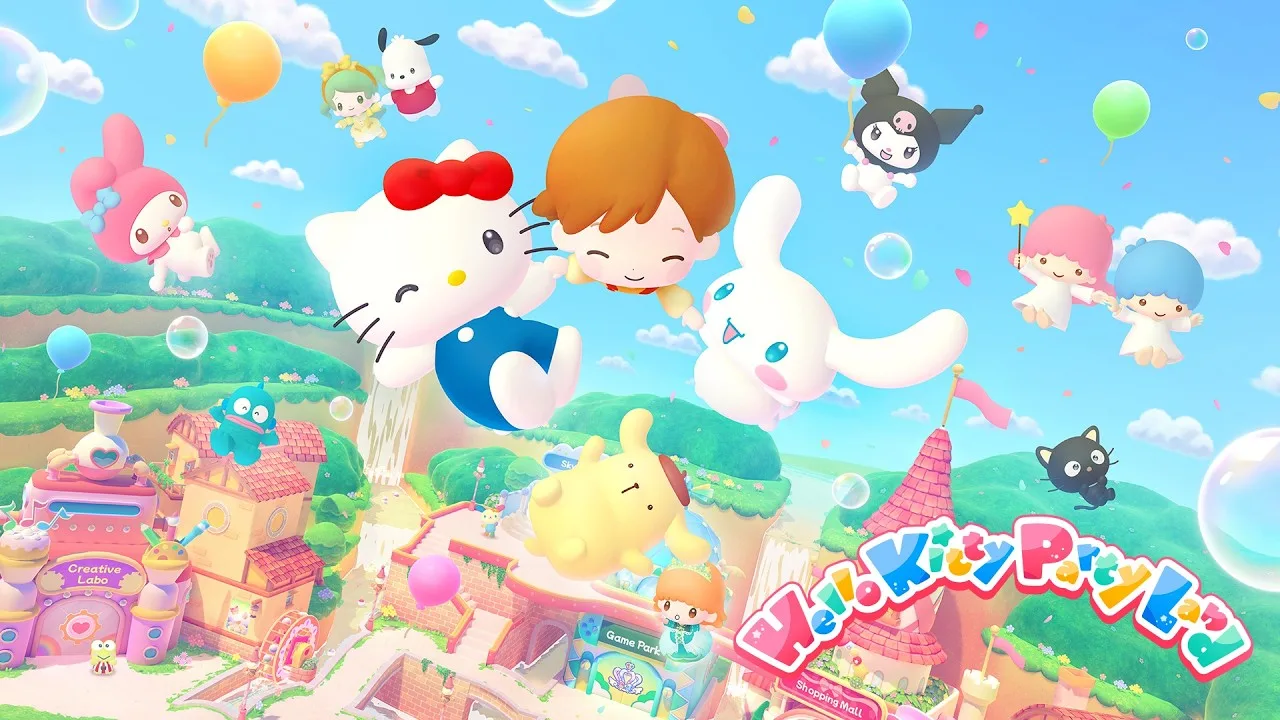
Hometown connects the game's activities, and more facilities become usable as you progress. Use this list to find your next stop:
- Game Park: Board games and the Minigame Corner.
- Shopping Mall: Clothing, accessories, and appearance changes.
- Sky Farm: A garden above the clouds with various Petit Games.
- Creative Labo: Melody Cake, Poster Studio, and Labo Puzzle.
- Photo Studio: Backdrop photography and the Partner Room.
- Waterwheel: Prize drawings beside the Creative Labo.
- Dock: Return to the title screen.
Interact with characters as you explore. Conversations can contribute to friendship and sticker collecting, so there's a reason to stop between activities.
5. Practice at the Minigame Corner
Visit the rightmost counter at Game Park to play minigames freely. With more than 45 minigames available, this gives you a place to learn their rules outside a board session.
Watch for present icons: those minigames offer opportunities to meet someone new. The crown icons track Easy, Medium, and Super Hard difficulty, and the difficulty can change with your performance. Look for a blue present icon when working toward special stickers from clearing every difficulty level.
Understand the Three Board Game Objectives
6. Check what needs delivering before planning a route
Talk to the receptionist in the center of Game Park to start a board game. These boards ask players to work together toward a delivery objective before the available days run out.
The requirements below apply specifically to Medium difficulty. Quotas and time limits change with difficulty.
| Board | Resource | Medium delivery requirement | Delivery locations |
|---|---|---|---|
| Blooming Flower Festival | Flowers | Each player gathers 150 flowers | One Delivery Space; Marroncream also collects them on some days |
| Tropical Twilight | Droplets | 150 droplets at each of four Delivery Spaces | Four Delivery Spaces |
| Sparkling Neon Night | Sparks | 200 sparks at each of three Delivery Spaces | Three Delivery Spaces |
Gathering resources is only part of the objective. You need to reach the designated spaces and select Give or Charge to deliver them.
During your turn, open the map to inspect the layout. Check delivery locations before choosing a branch so your route supports the remaining objective.
Playing Blooming Flower Festival also makes Badtz-Maru available as a partner.
Avoid Losing Turns and Resources
7. Finish Petit Games before your next turn
A day ends after every player has taken a turn. On your turn, stop the roulette and move the exact number of spaces shown, choosing your direction when the route splits.
Minigame Spaces bring everyone together for a cooperative minigame. Petit Games work differently: one player plays while everyone else continues taking turns.
If your Petit Game is still running when your next turn arrives, that turn is skipped. Keep track of the turn order when choosing work at a Shop Space.
8. Weigh a challenge against what you're carrying
Shop Spaces let you work for board resources or spend those resources on items. Challenge Spaces let you keep attempting a Petit Game for additional rewards, but failing penalizes your current resources.
On Sparkling Neon Night, a TV Game Space charges 10 sparks to begin a Petit Game. Winning earns more sparks; losing costs some of the sparks you already have.
Check your delivery needs before spending or risking resources. When you have enough to contribute to a quota, prioritize reaching a delivery point.
Open the Game Pad to inspect your items, too. Some can be used during another player's turn to help them, so read their functions before waiting for your own move.
Earn Coins and Use Waterwheel Tickets
9. Separate spending money from board resources
Coins buy merchandise at the Shopping Mall. Flowers, droplets, and sparks serve the board objectives and can also be spent in certain board interactions.
Board games award coins based on results. Even if the remaining days reach zero before the objective is complete, you still receive coins based on your performance. The final minigame also offers a Last Game Bonus for doing well.
Labo Puzzle provides another activity with rewards that include coins, stickers, or tools.
10. Collect tickets while exploring
Waterwheel Tickets become available after time passes. Spend them at the Waterwheel beside Creative Labo for prizes that can include coins and special hairstyles.
Hide-and-seek requests offer another way to earn tickets. When a character asks you to find someone, use the drone camera to help search.
Build Friendships and Customize Your Character
11. Talk and play with your partners
The game includes 16 playable Sanrio partners and more than 145 characters to meet. In the Game Pad's Partner menu, stars show each character's friendship level.
Playing or chatting with a character increases friendship a little at a time. Higher friendship can lead to special clothing, so keep spending time with characters whose outfits interest you.
To switch partners, visit the Partner Room inside the Photo Studio.
Talk with characters and play minigames to collect stickers, then browse them in the Sticker Book. If you own the Character T-Shirt early purchase bonus, you can apply stickers to it. Redeem its download code through Nintendo eShop before looking for that customization option.
12. Try on clothing before spending coins
At Shopping Mall stores, you control your partner while browsing merchandise. Select clothing to preview it before buying, and check for the ownership check mark to avoid overlooking something already in your collection.
For appearance changes, visit the Make-Up Salon on the Shopping Mall's third floor. Its appearance changes are free.
Use the Game Pad's Clothing menu to change outfits and select available colors. Uniforms cannot be combined with separate tops or bottoms.
Save combinations you like in Favorites. You can register up to eight outfit sets, making it quicker to switch between looks.
Take a Break With Creative Activities and Photos
13. Make a small creation before filling a catalog
At Melody Cake, on the left side of Creative Labo, decorations become sounds. The cake's top controls percussion, while its sides control melody. Loop playback while decorating to hear your changes immediately.
There are four Cake Catalogs, each holding 16 cakes. Start with a sample or a single cake before combining melodies.
At Poster Studio, on the right side of Creative Labo, pictures are built from layered stamps. Move, resize, rotate, and reorder individual stamps to adjust the design. Four Sketchbooks hold 16 pictures each, and their pages can play sequentially as an animation.
Check the destination before copying a whole catalog or Sketchbook: pasting replaces its contents.
14. Use the camera that fits the picture
You can take photos around Party Land, with pictures saved to system storage. The camera options give you different ways to frame a shot:
- Tripod Camera: A front-facing view with a countdown.
- Selfie Stick: Adjustable angles for a selfie with your companion.
- Drone Camera: Adjustable positions and viewpoints, also useful for hide-and-seek.
During the countdown, you can move, jump, look toward the camera, or emote. Set the frame, start the timer, and position your character before it reaches zero.
For themed pictures, visit the Photo Studio. Minigames you've played become available as backdrops, giving you another reason to explore the Minigame Corner.
Continue exploring
Hello Kitty Party Land Local Multiplayer Setup Guide
Hello Kitty Party Land local multiplayer supports up to four players on one console. Learn how to join, choose controllers, and play cooperative minigames.

Hello Kitty Party Land Mini Games: How to Play and Win
Explore Hello Kitty Party Land mini games, learn how Petit Games work, find the Minigame Corner, and team up for board game rewards with your friends.
Join the community
Official channels for news, updates and player help: